
Please check before traveling
Recommended tickets
HAKONE 360°BOX(Original paper VR goggles)
Enhance Your Hakone Journey — 360° VR Experience
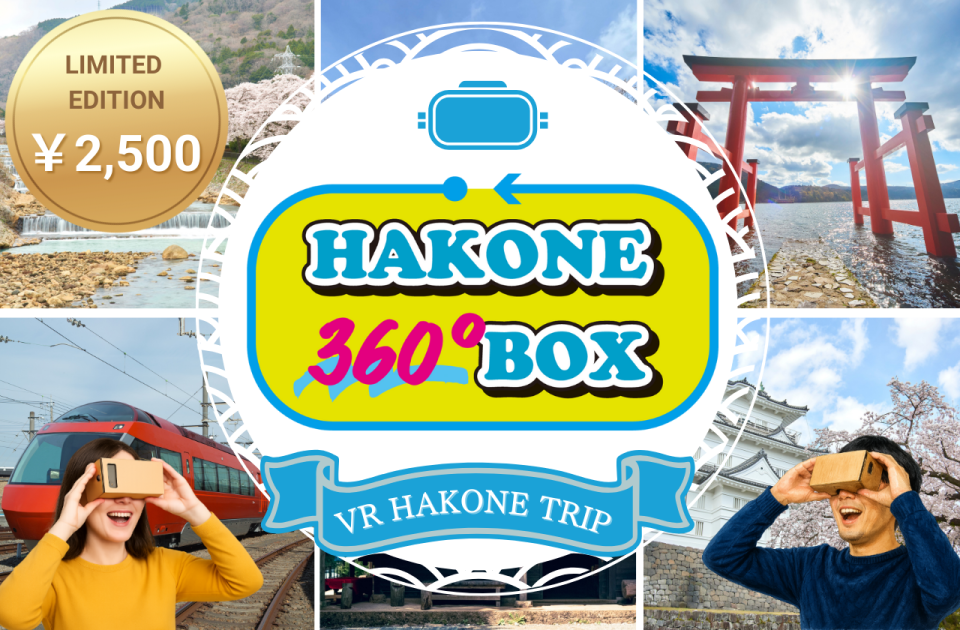
Discover Hakone & Odawara like never before with our immersive 360° VR goggles.
Discover Hakone & Odawara like never before with our immersive 360° VR goggles.
Get a taste of the stunning landscapes before you arrive — and relive them anytime after your trip.
Available for pick-up at Tourist Information Centers in Shinjuku or Odawara.
A special offer designed for travelers exploring Hakone with the Freepass — and anyone who loves authentic Japanese adventures.
Sales Period:
September 3, 2025 (Wed) – October 20, 2025 (Mon)
Learn More
Sales Period:
September 3, 2025 (Wed) – October 20, 2025 (Mon)
Learn More
How to use tickets
01
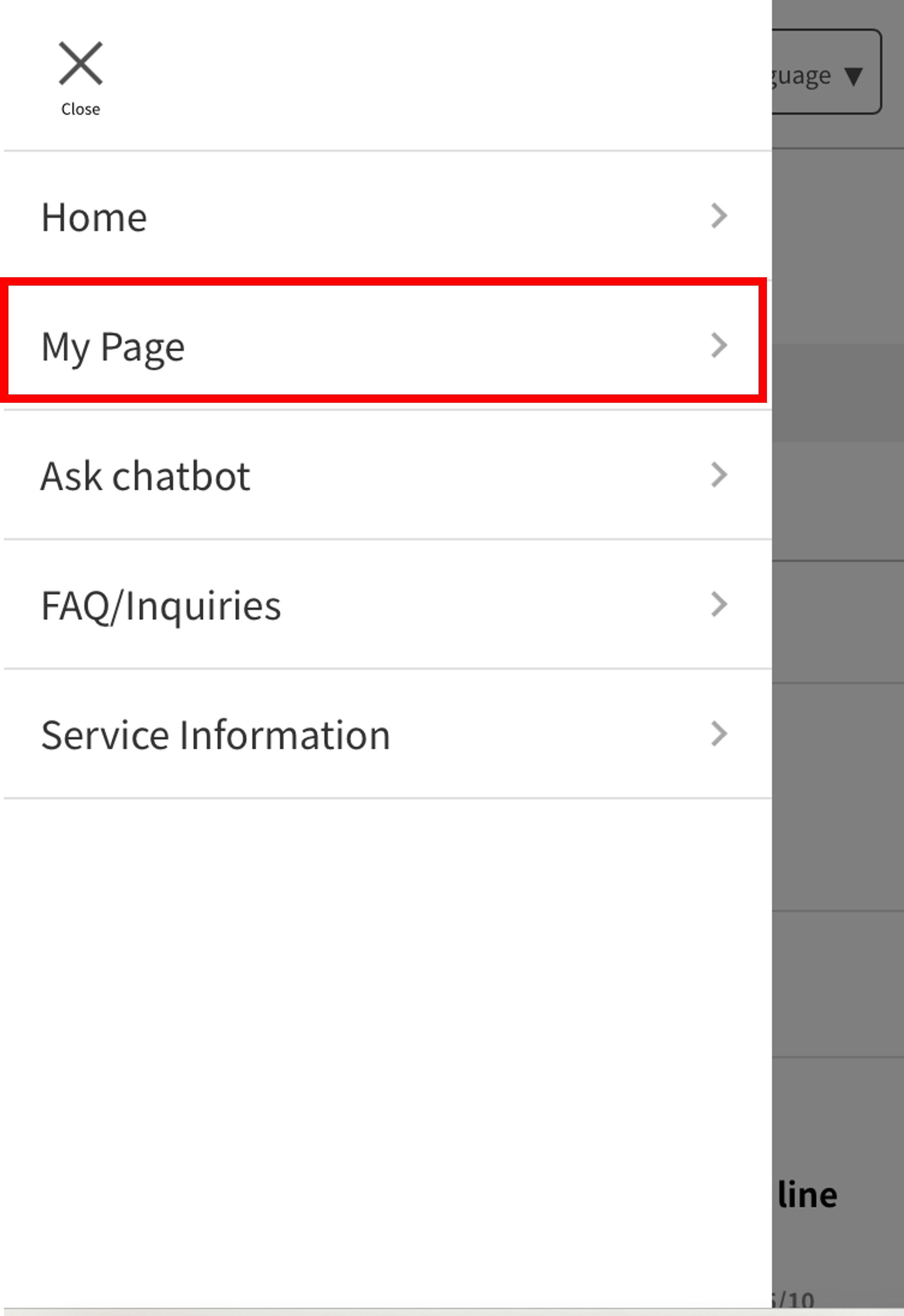
Access "EMot Online Tickets" and select "My Page" from the menu.
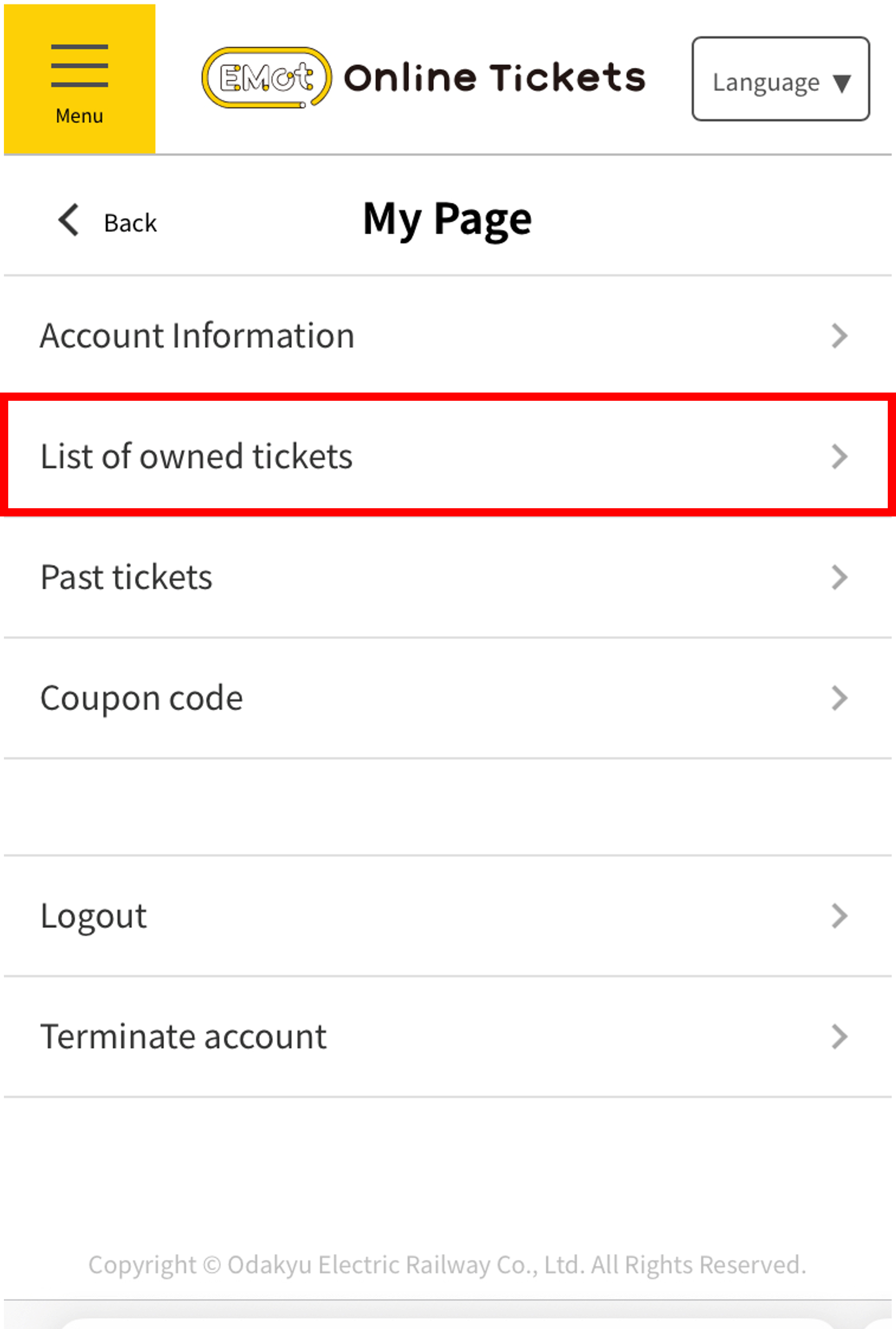
From "My Page," select "List of owned tickets" to view your tickets.
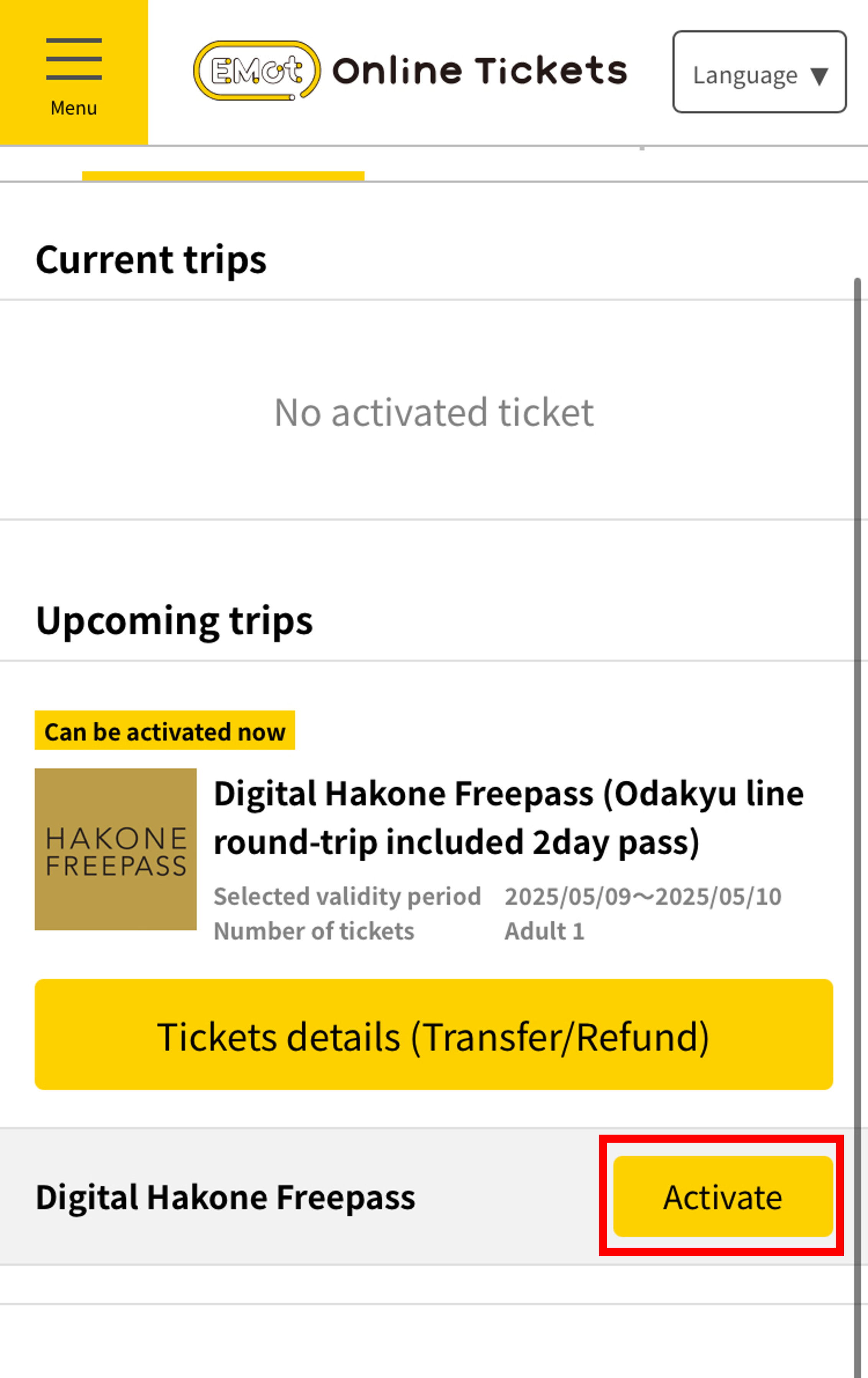
Select "Activate" on the ticket you wish to use.
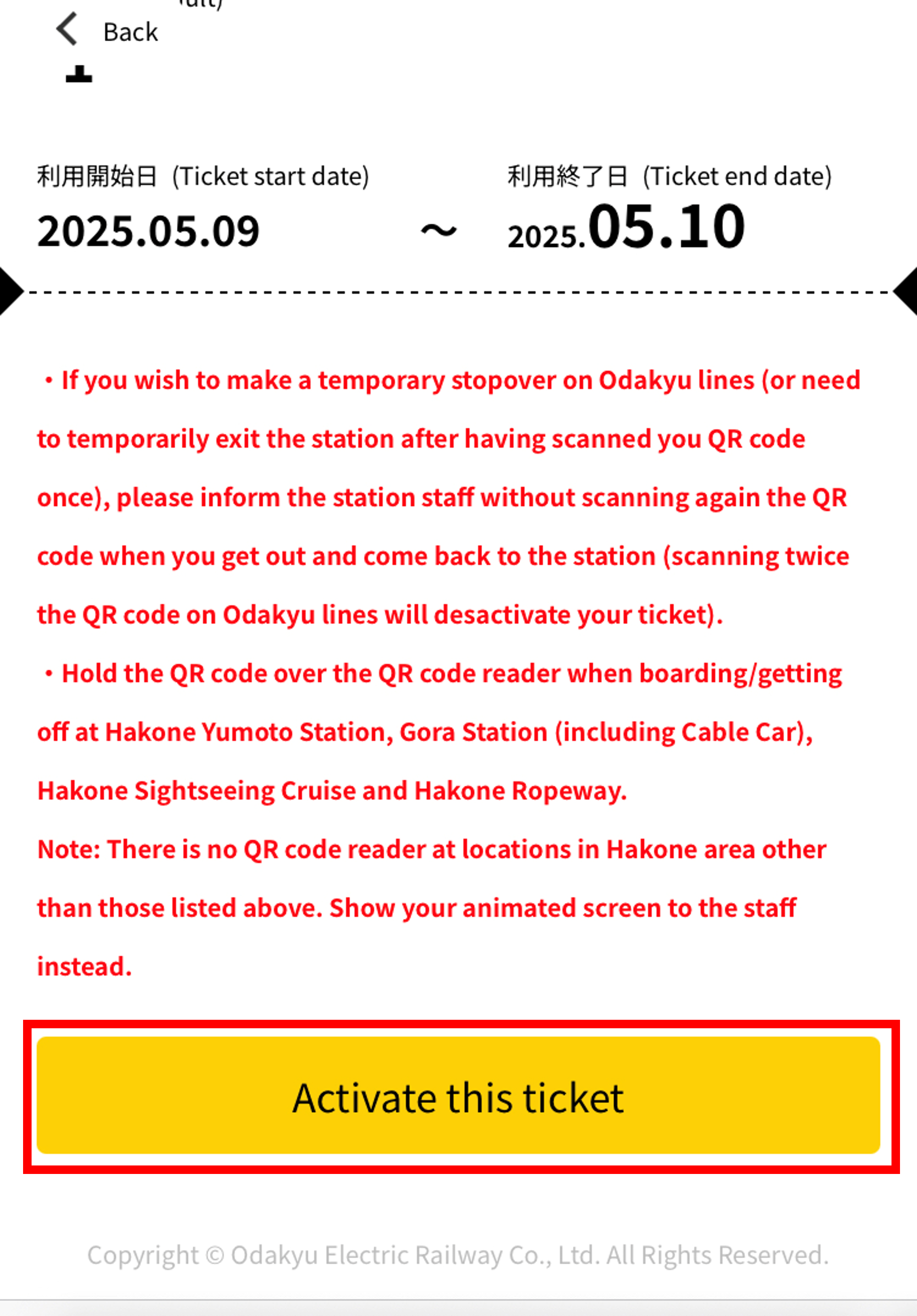
Tap "Activate this ticket".
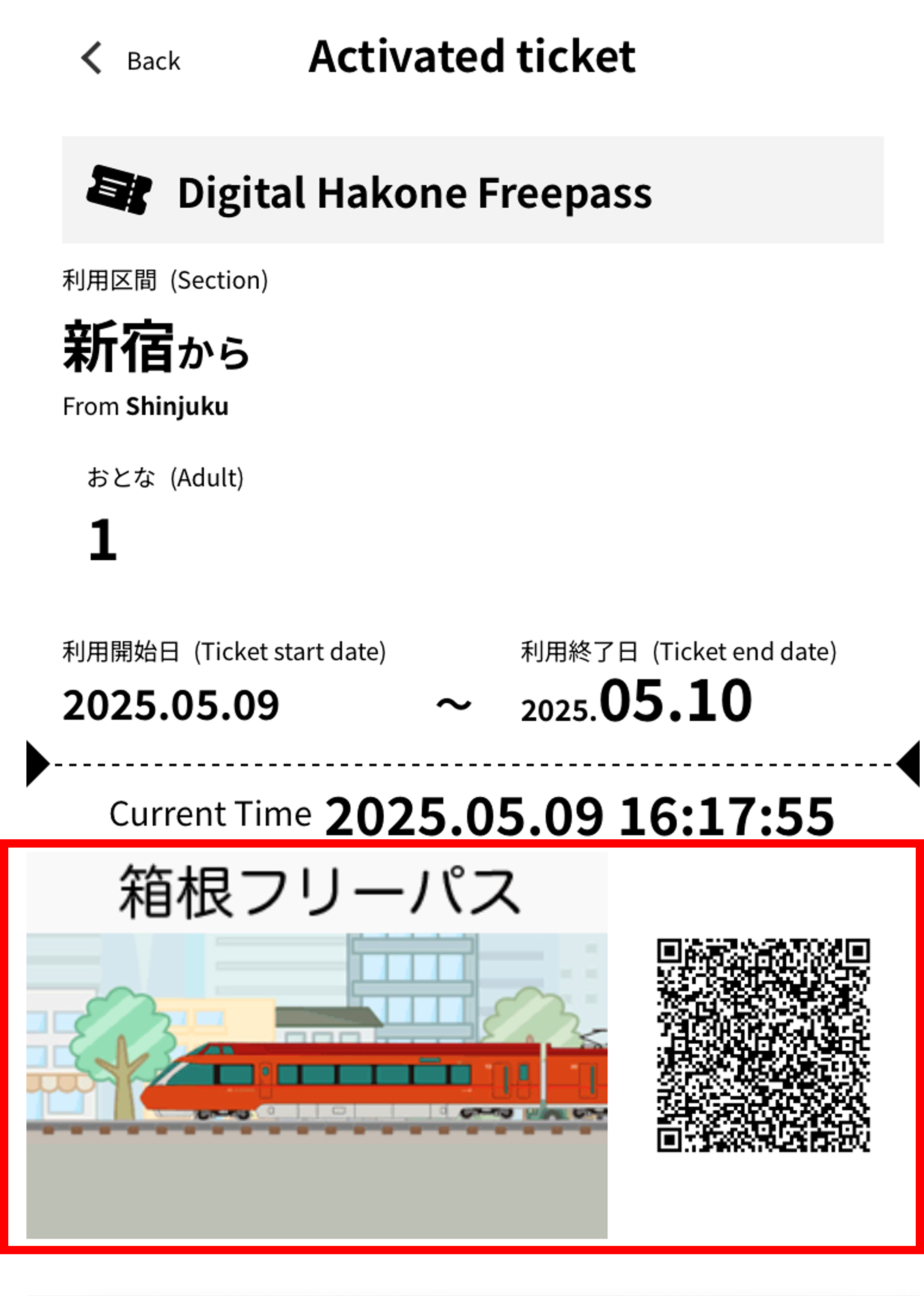
The ticket screen will be displayed. When using the ticket, either show the animation to the facility staff or scan it using a QR authentication terminal.
*Please note that the method may vary depending on the ticket, so be sure to check the instructions for each ticket.
How to transfer tickets
01
Access "EMot Online Tickets" and select "My Page" from the menu.
From "My Page," select "List of owned tickets" to view your tickets.
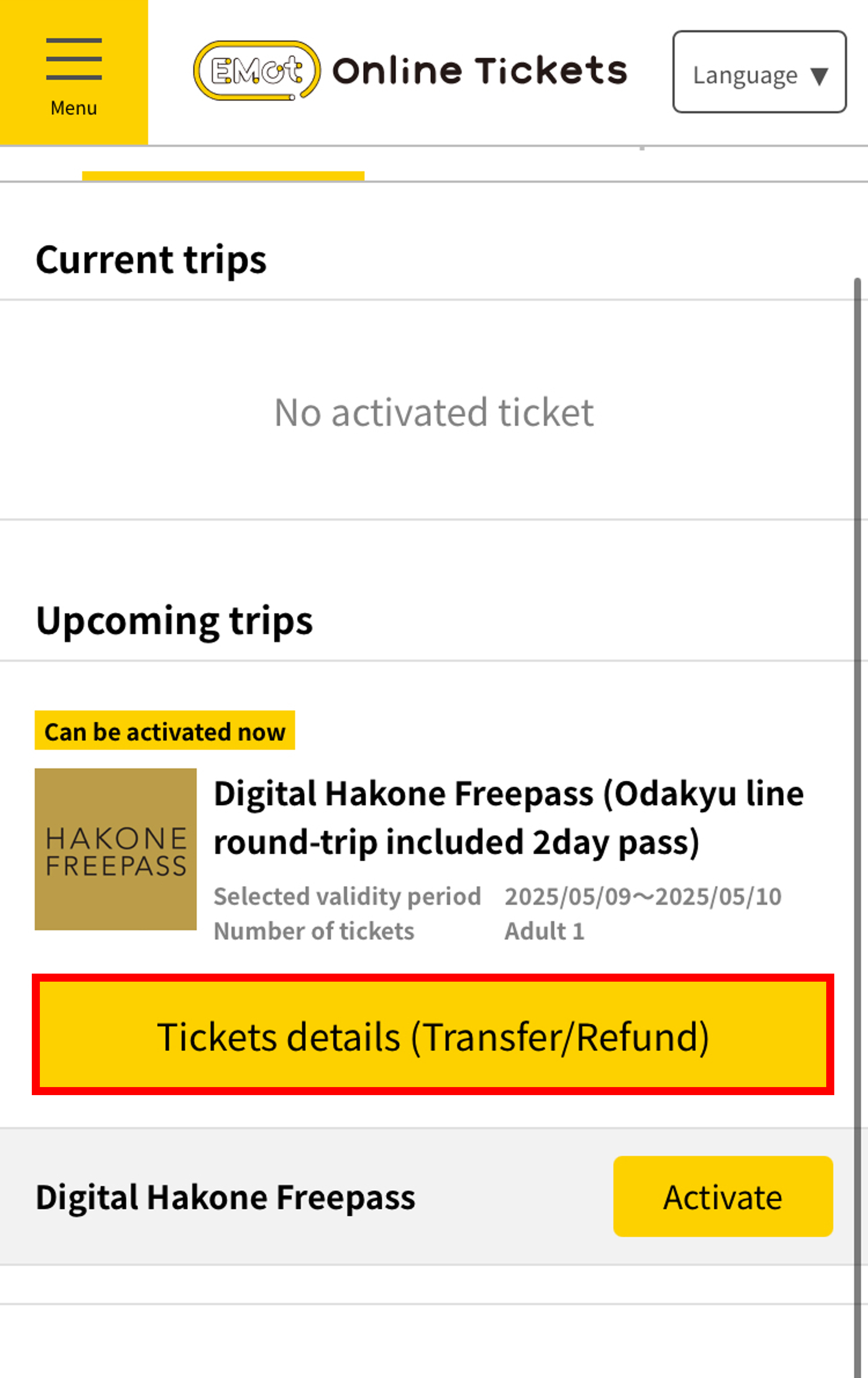
Select “View Details (Transfer/Refund)” for the ticket you want to transfer.
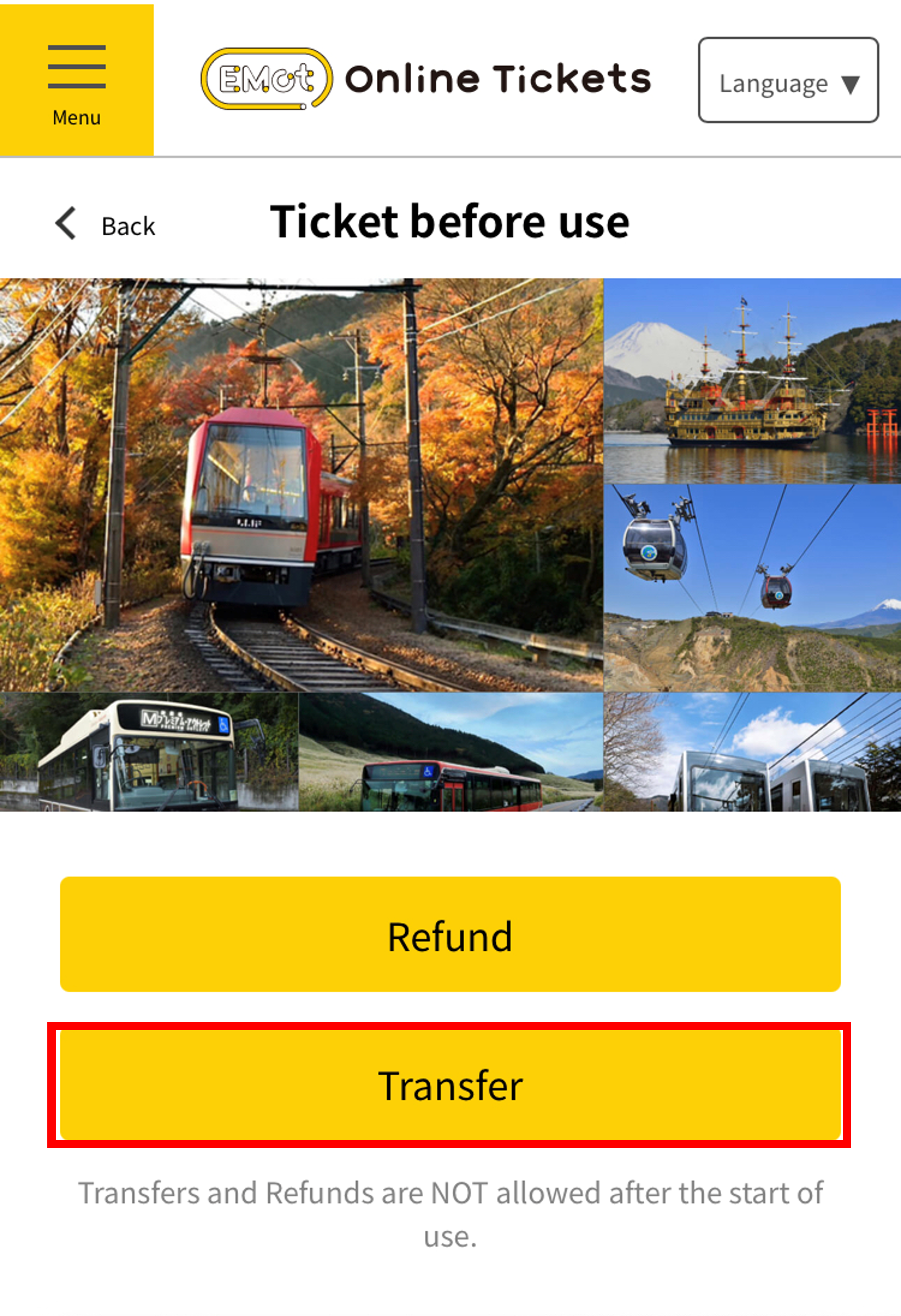
To transfer a ticket, select "Transfer" from the ticket details screen.
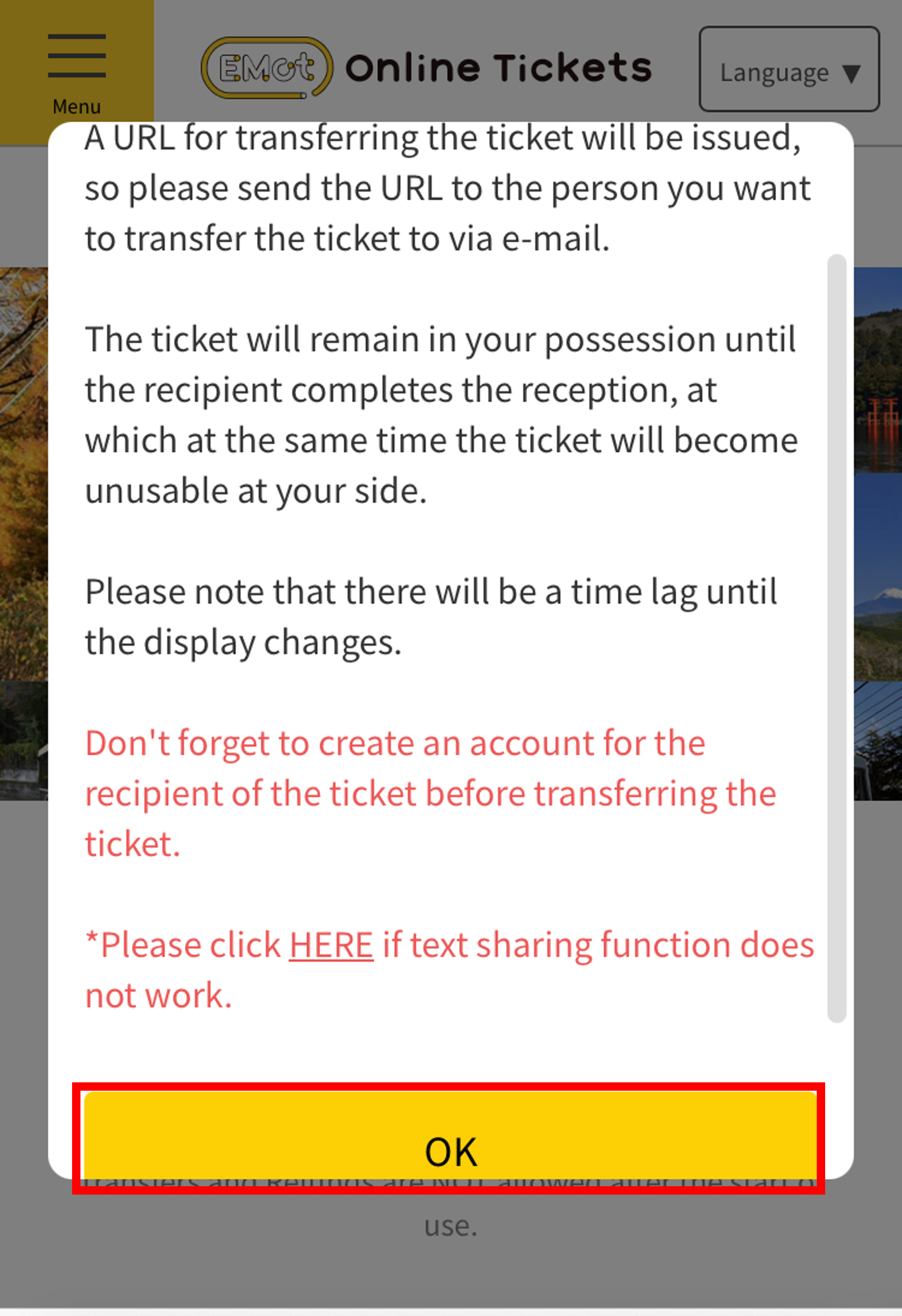
Press the OK button and share the transfer URL using your preferred method.
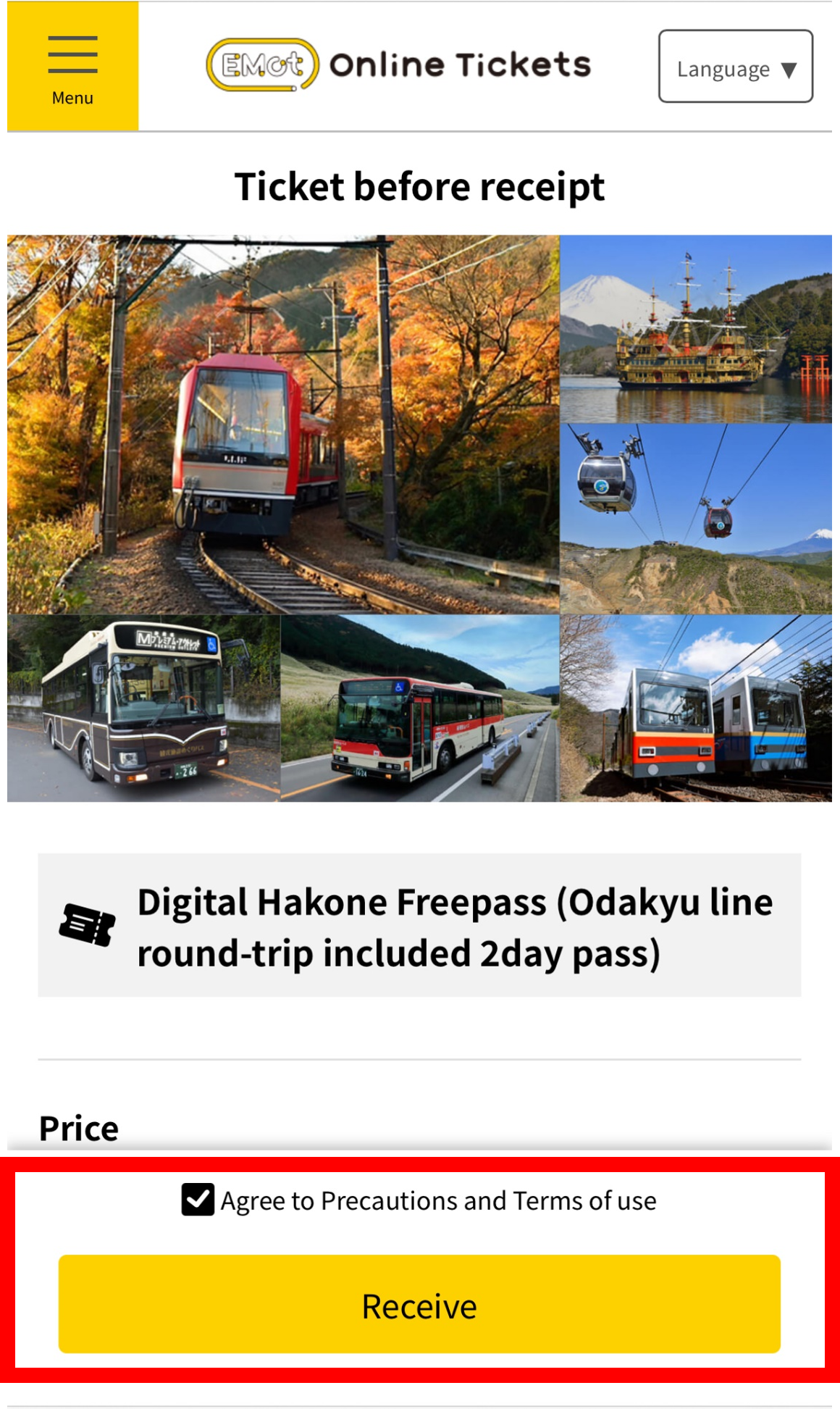
The recipient should access the URL, agree to the terms of use, and select "Receive" to complete the transfer. *An account registration is required beforehand.
Notes
Please note: Some tickets may have different purchase or usage methods, or may not support ticket transfer. Always check the details on each ticket’s purchase page.